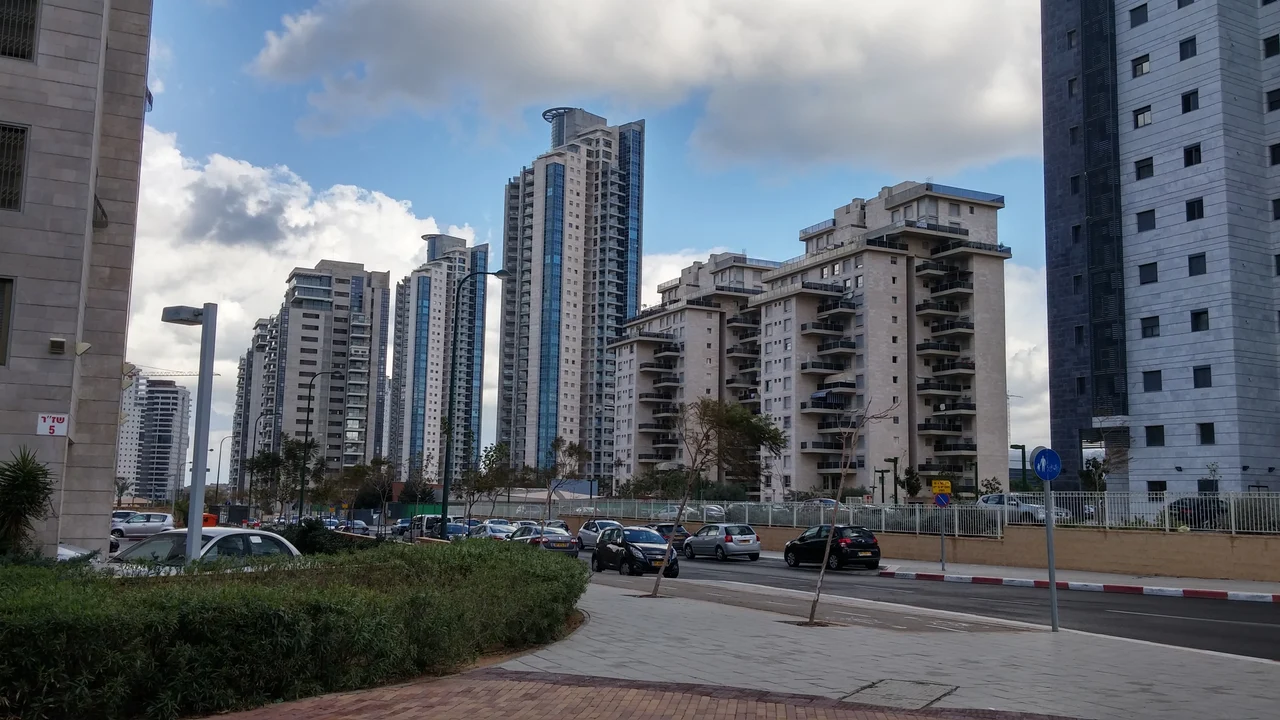
01A coastal neighbourhood with green space
Ir Yamim lies along Netanya’s coast between the Irisim neighbourhood and Ramat Poleg. The municipality dates its establishment to 2006 and describes residential towers alongside green public space. Start with this setting, then explore the individual streets and services.
Netanya · Ir Yamim ↗02The Green Axis in everyday life
The Green Axis connects Ramat Poleg, Ir Yamim and the Iris Reserve. The municipal description includes walking and cycling paths, pergolas and play equipment. It also lists an accessible entrance, accessible furniture and accessible play facilities, useful details when choosing a starting point.
Netanya · Green Axis ↗03Poleg Beach beyond the balcony
The municipal Poleg Beach page lists showers, toilets, shade shelters, first aid and sports facilities near Ir Yamim and Ramat Poleg. It also explains parking arrangements. Open the beach information before a visit to connect your neighbourhood tour with the waterfront.
Netanya · Poleg Beach ↗04School on Benny Berman
Haim Hefer School is at 4 Benny Berman. Its municipal page describes Hebrew–English bilingual activity and lists accessible parking, access, toilets and a lift. When planning a family move, explore the school and discuss suitability and registration directly with the municipality.
Netanya · Haim Hefer School ↗05Shopping, gardens and services
Ir Yamim Mall is at 2 Benny Berman. The municipal neighbourhood guide also lists Carlebach School, Piano Garden, Arik Lavi Garden, the Blue Axis and gardens beside the mall. These are useful anchors for a visit that combines errands, recreation and family needs.
Netanya · Ir Yamim ↗06How should you compare streets?
Open the four linked streets and review each setting separately. Choose one everyday destination — a café, garden or school — then add a transit stop and the building entrance. Repeat the journey at the time you expect to use it to understand its rhythm.
07How do you compare a sea view?
View the outlook from the actual apartment and balcony on its specific floor. Note window orientation, the view while seated, sunlight during your preferred hours and buildings in front. Photographs from the living room and balcony seating position make comparisons more useful.
08What should you ask about a tower?
List facilities, opening hours, reception services, lifts, parking and storage. Request the management-fee breakdown, maintenance budget and annual charges. Use the comparison tool to translate two proposals into annual expenses on the same basis, alongside the home budget below.
09What belongs in a floor-plan comparison?
Keep interior area, balcony and storage on separate lines. Add room dimensions, the protected room, workspace, air-conditioning position and storage options. Place your furniture on the plan and follow the journey from the parking space through the lift to the front door.
10How do you plan a comfortable, accessible visit?
Choose a route from the building entrance to one garden or shopping destination. Look at gradients, crossings, pavement width and seating. Municipal accessibility details help select destinations; explore the complete route in person to assess how it fits your own needs.
11How can the map support your decision?
Choose a category and a radius of 700, 1,500 or 3,000 metres. Distances are measured in a straight line from the Benny Berman reference point. Open places from the list, then check the actual journey from the entrance of the building you are considering.
12What should you keep after a visit?
Save the guide link, data brief and your notes for each building. Organise comparisons around outlook, layout, expenses and daily routine. The WhatsApp contact button includes the page you came from so the conversation can continue with the same context.